Rhythm Stage Setup v5

I recently finished the largest set of changes I've made to my rhythm stage setup in 4.5y. The basic interface is similar, but I have a lot more flexibility, more control, more options, and it's easier to travel with. My favorite part is the speech recognition for calling chords.
I started off playing mandolin and piano, and then over the years added progressively more expressive footdrums. I added a breath controller. I built out a complex but expressive system where these different interfaces could interact to let me produce a coherent rhythm section. After a frustrating experience moving from one Mac to another and wanting to simplify, I moved from the Mac to a Raspberry Pi, set it all up as a pedalboard, and then again as a lighter pedalboard.
During the last year and a bit, however, I haven't been tinkering. It did what I wanted, in a reliable and portable fashion. And it was hard to modify: the pedalboard was static, and the Raspberry Pi code wasn't easy to get at either. Which was fine, and probably good for me! I just played a lot of gigs (23 Kingfisher, 3 Free Raisins, 3 Dandelion) and got better at it.
But then it started breaking. My whistle synth box didn't always come up, the drums sometimes needed an external DI, and a USB sound card snapped. Flying back from Atlanta my gear suffered rough enough treatment to bend a USB B connector, and it was clear my system needed some love.
I started with the most urgent portion: the whistle synth. I had Claude port it over to my laptop, where I turned it into a Mac app. This also let me add several more voices, and a mute option that never made loud clicks (I'm not really a hardware person).
This project made me realize that AI getting capable meant that the tradeoffs around laptop-vs-embedded had shifted. I could have everything on my laptop, and without needing to put painfully large amounts of time into programming it could all be fully defined in code instead of manually-configured GUIs. Having it on my laptop would make it easy to apply models to modify and improve it, and open up a lot more lexibility.
I decided to move as much as possible over to the laptop. This meant no more Raspberry Pi, whistle synth box, physical switches for signal routing, and computer code instead of guitar pedals. I moved from:

To:
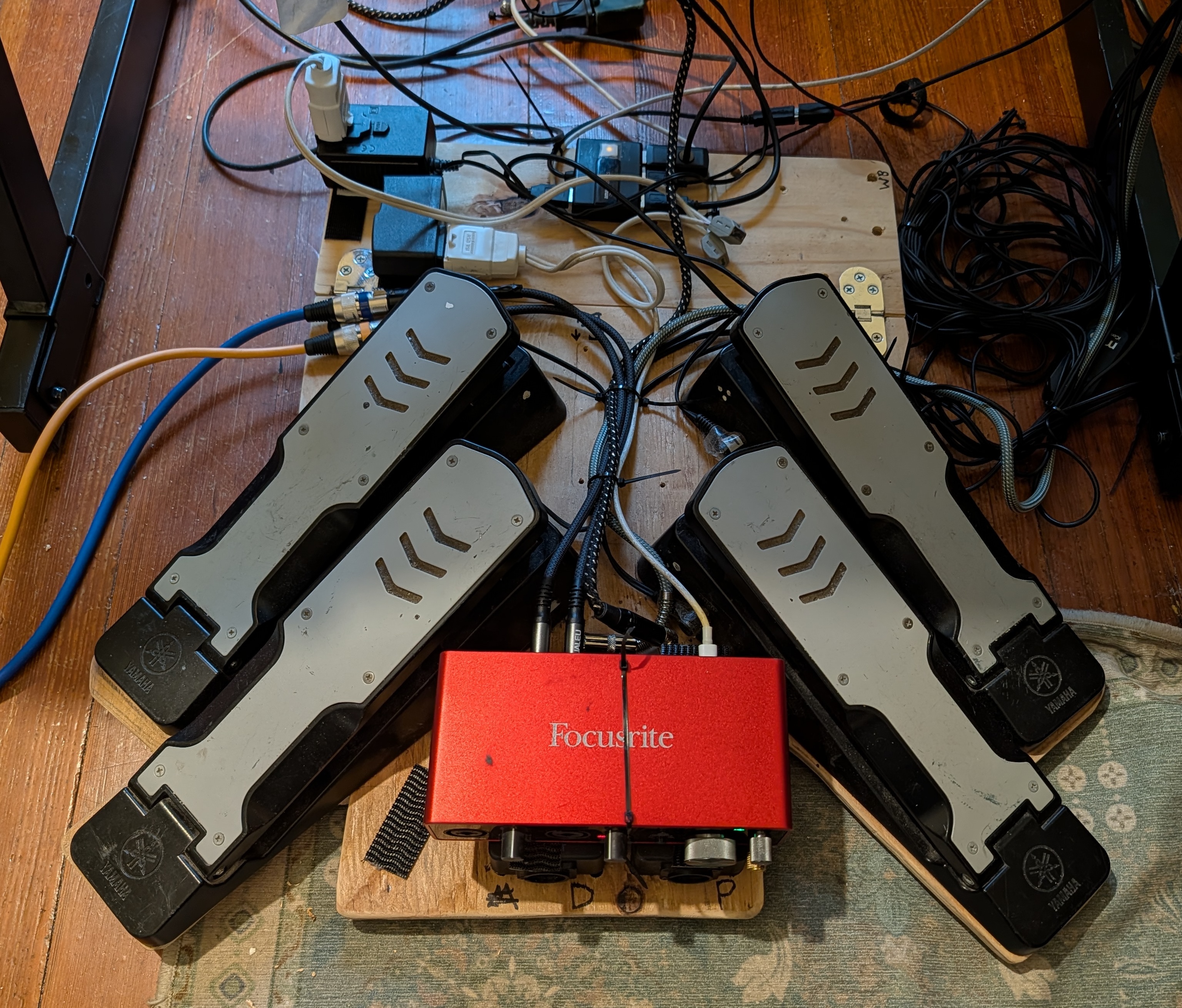
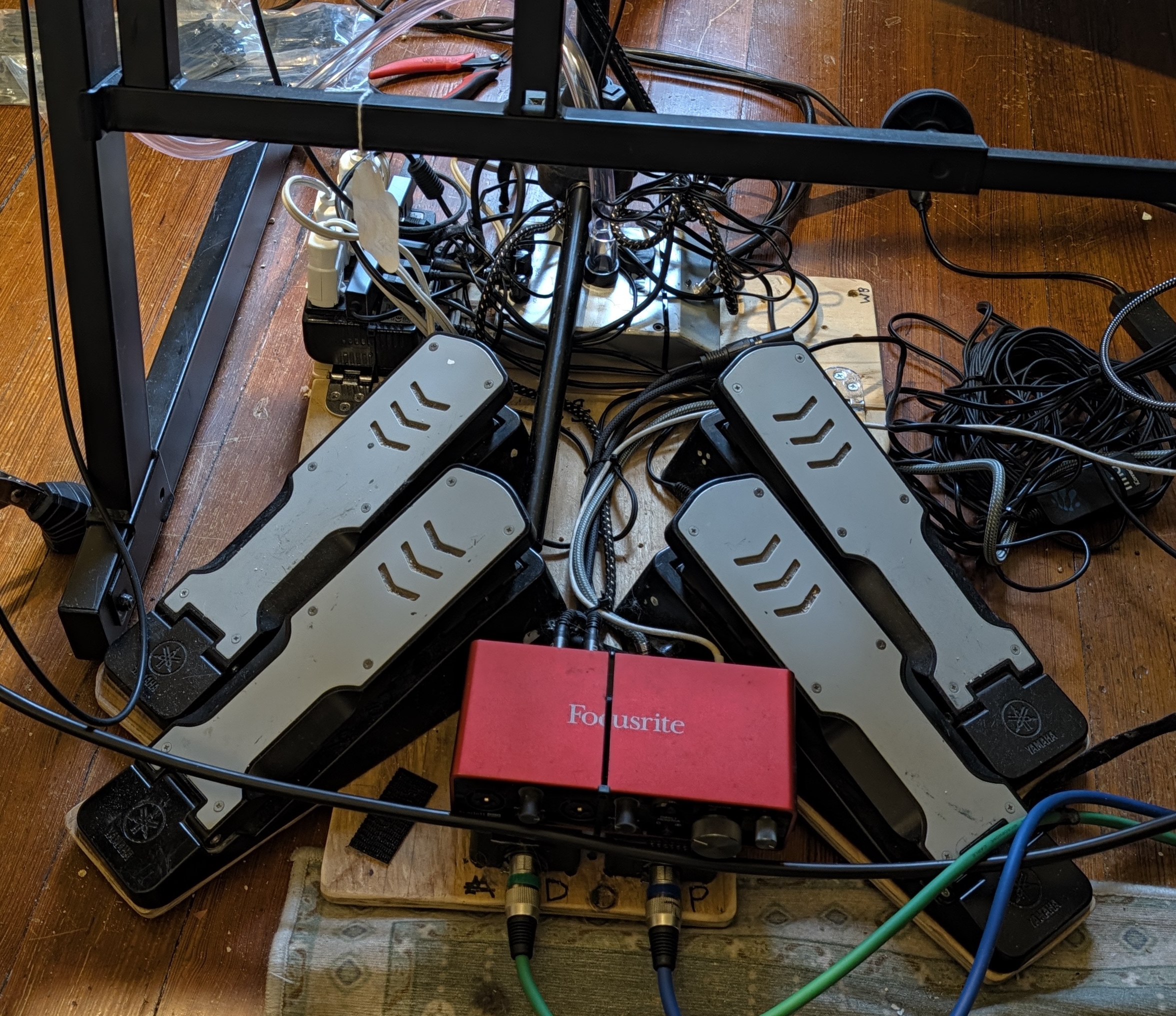
Four fewer pedals, three fewer DIs, two fewer power bricks, and no little computers. Saves ten pounds: 32lb to 22lb. The Mac weighs ~3.5lb, but I'm traveling with it regardless.
Of these savings, 3lb (2.7lb of talkbox + 0.3lb of power supply) was from giving up the talkbox. I liked how this simplified my setup, including less complex audio routing, but after playing Moondance both Cecilia and I really missed it. So I added it back:
A large benefit of moving to the Mac is I can now see what I'm doing. I control my rig with an external keyboard, covered in little labels that remind me what each key does:
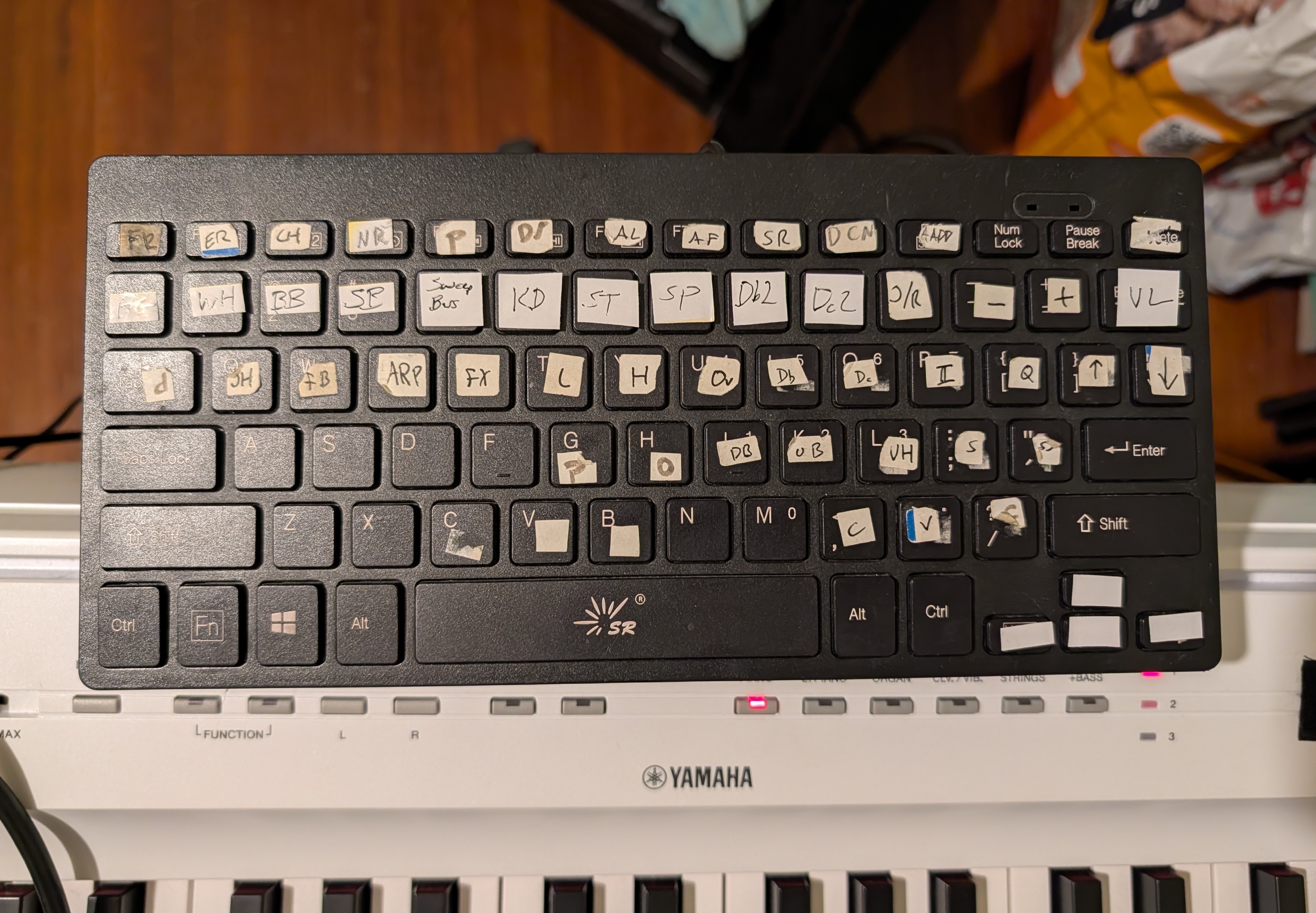
For example, before playing Trip to Moscow I would probably press FB (footbass), S (make footbass play synth bass), FX (breath-controlled keyboard overlay), set the drums to custom kit 63 (electronic kit), and then press L (keyboard velocity-insensitive bass overlay) and change the keyboard to epiano2 when we got all electronic. And press JH (breath-controlled bass-following low bass) at some point partway through for more ability to pulse the offbeat. Without a monitor, I needed to keep this all clear in my head, which was especially important since many settings are modal or interact. I usually didn't mess up, but partly because I tried not to dial in anything with too many presses.
Now I can just represent the state on my monitor:
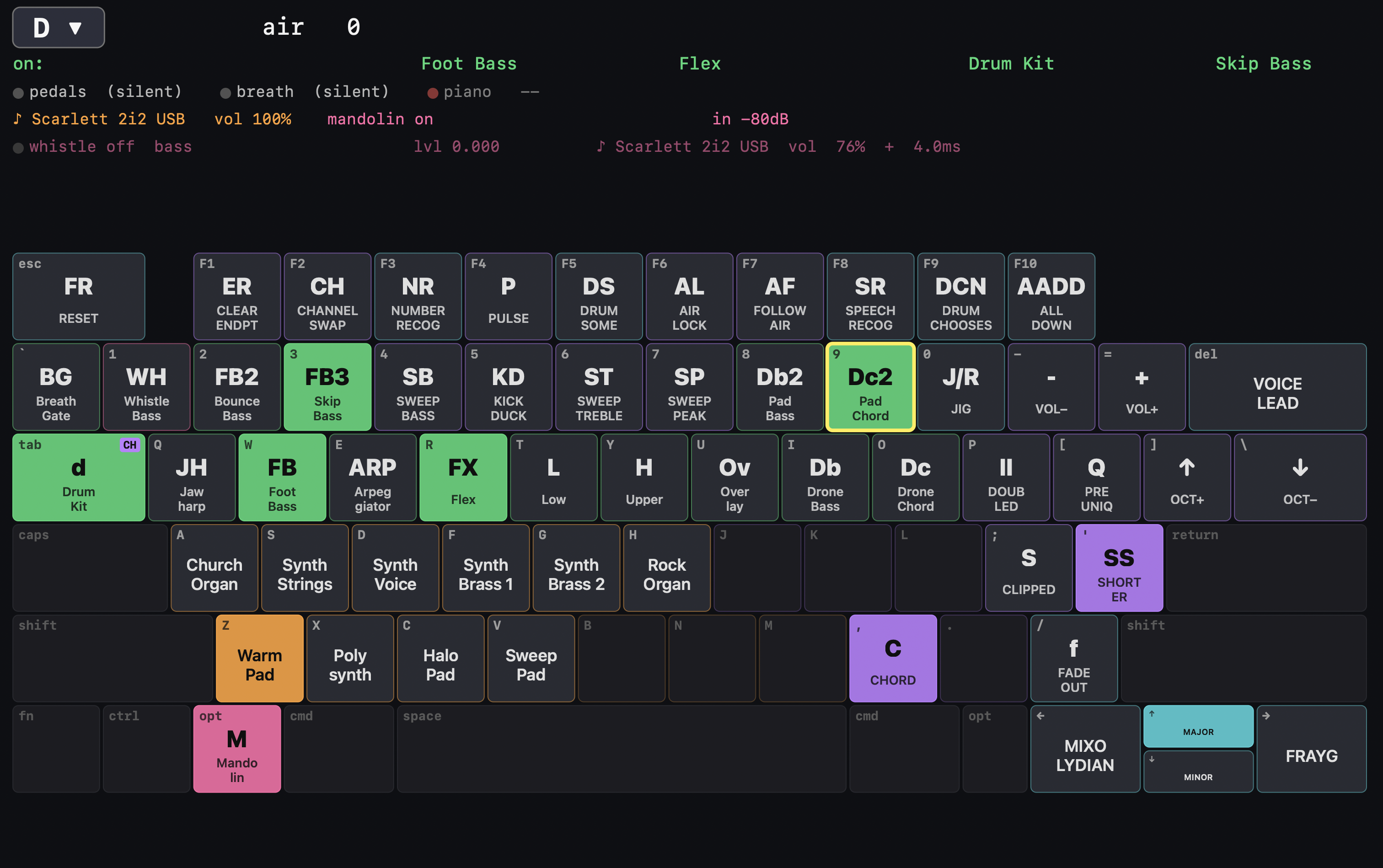
This is also very helpful for showing which voices apply to which instruments. Previously I needed to remember that on FX (breath-controlled overlay) the B key would give me a supersaw, while on Dc (chord drone) the B key was a different voice (I forget what). Now I can choose a set of voices for each instrument that are the ones that sound best with this kind of control, without worrying about how I'll remember which button gives me which sound.
This is basically all "what I had before, but easier to control". Which is good, but the real payoff comes from making it much easier to extend the system. I've done a lot here, with extensive help from Claude Code, and it's going to take me a bunch of time to learn how to play these new options well.
A big one is that because I now route my mandolin through the system I can replace pedals with code, add more effects than it was worth carrying pedals for, and write effects that consider what other things in the system are doing. This includes using the breath controller as an expression pedal, or tonal effects that care about the active chord. Demo video:
I also added speech recognition, where I can turn things on and off vocally, and even call chords. For chord calling I had Claude make me a custom speech recognizing system for the numbers one through seven (Nashville numbers) trained specifically on my voice and optimized for minimizing latency (decision in 40-170ms). It also runs Apple's in parallel, primarily to allow learning from mistakes but also to handle numbers the custom one misses and any non-number commands. Here's a video from earlier today, showing how