警示AI信用风险,穆迪:美国五大巨头表外义务3年翻至8倍,飙升至2.8万亿美元

The Curious Power of Punctuation

Learning to Remember: Attentive Reinforcement Learning for Edge Serverless Autoscaling
A comparative assessment of global building and settlement datasets across geographic and settlement contexts

Offloaded inference for real-world physical AI robotics

At a glance
- Challenges a core assumption in robotics AI: Our research shows that running physical AI inference exclusively on onboard GPUs can limit robot performance, battery life, and scalability, and that offloading inference to edge or cloud GPUs can offer significant advantages.
- Demonstrates measurable benefits of inference offloading: Across representative mobile manipulation workloads, offloading improved task success rates, enabled larger AI models, and helped robots respond more effectively in dynamic, real-world environments.
- Extends robot operating time: Replacing power-hungry onboard AI compute with lightweight onboard hardware and remote inference can substantially improve battery life, enabling robots to operate longer between charges.
- Introduces a new capability in the Physical AI Toolchain: Developers can now containerize, deploy, and orchestrate robotics AI workloads across robots, edge infrastructure, and the cloud using Kubernetes-based tooling for distributed inference.
Readily-available physical AI, with robotics assisting users in manufacturing, home, and warehouses scenarios, holds immense potential to improve safety, productivity, and assistance across a wide range of tasks. In many ways, AI for the physical world represents a major frontier for AI . Physical AI must operate in open, unpredictable environments, interact with both other robots and people, and work with a diversity of embodiments. Realizing this vision requires advances along three dimensions: robot hardware, embodied AI models, and systems infrastructure for training and inference. While robot hardware and the AI models have advanced rapidly in recent years, we turn our focus on a relatively under-addressed aspect: inference infrastructure of physical AI. Enabling robots to effectively and safely operate in the physical world will require sophisticated systems to handle large volumes of distributed inference compute.
Today, the prevailing approach to physical AI is to provision a GPU onboard the robot, e.g., by wiring a GPU to the robot. In this model, the robot’s inference will be confined to the onboard GPU, and provide the robot with the necessary chunks and sequence of actions for the execution of its tasks. While higher-level planning may be performed in the cloud, task execution typically remains tied to the robot itself. We challenge this assumption. As physical AI models grow in size and sophistication, the constraints of onboard compute become increasingly apparent. GPUs consume significant power, reduce battery life, add cost and weight, and can limit the ability to run the latest generation of AI models.
To better understand the systems implications of physical AI, we conducted the first systematic study of robotics workloads. We focused on mobile robotic manipulation, with the canonical task such as “check for rubbish in the kitchen and put it in the trash.” Such a task involves planning the path to the kitchen, perceiving the environment to find rubbish, navigating to the rubbish, picking up the rubbish, and navigating back to the trash can for disposal. We evaluated representative models across three core capabilities: semantic mapping and planning, navigation, and manipulation, as summarized in Figure 2.

Offloading physical AI inference out of the robot improved its response time and accuracy, along with battery lifetime and cost. We evaluated the inference models across a range of onboard, edge, and cloud compute configurations. Details of the specific test hardware are available in our technical report.
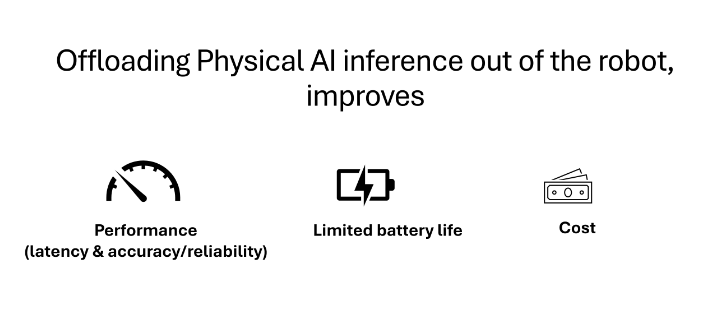
Benefits in task performance: Our evaluation shows offloading inference can significantly improve robot performance across mapping, planning, navigation, and manipulation workloads. Some smaller GPUs could not accommodate the mobile manipulation stack. On GPUs with sufficient memory, mapping and planning slowed by up to 383% compared to an A100, thus limiting the robot’s abilities in dynamic spaces. Navigation showed a 30% drop in its timely detection of obstacles with lighter GPUs. While the VLA models did not dramatically slow down with smaller GPUs, the slowdown was still sufficient to drop their accuracies by 50%. In other words, onboard GPUs limited the performance of the robots while offloading their inference to an on-premise or cloud GPU boosts their operations, as shown in the videos below and quantified in the graphs. As physical AI models continue to grow in size and complexity, the benefits of offloading are likely to become even more pronounced.
OpenAI Releases GPT-6 Sol and Luna: 50% Cheaper API Pricing and Benchmarks
OpenAI has released GPT-6 Sol and GPT-6 Luna, 2 new models in its GPT-6 family. They sit below GPT-6 Astra, which launched earlier this month. OpenAI trained both with methods similar to Astra’s. The aim is to bring Astra’s advances to faster, more affordable models.
Deployable today? Yes. Both models are live in the OpenAI API as gpt-6-sol and gpt-6-luna. They are API-only models, so there are no weights to self-host.
Three tiers, one recipe
The GPT-6 family now has 3 tiers. Astra is the top model for the hardest work. Sol targets complex coding and professional tasks at lower cost. Luna targets fast, high-volume everyday work.
OpenAI team states better caching and inference let it serve these models more cheaply. It is cutting Sol and Luna API prices by 50% against their GPT-5.6 promotional pricing.
| Model | Input (per 1M tokens) | Output (per 1M tokens) |
|---|---|---|
| GPT-6 Astra | $10.00 | $50.00 |
| GPT-6 Sol | $2.00 (was $4) | $10.00 (was $20) |
| GPT-6 Luna | $0.10 (was $0.20) | $0.50 (was $1.20) |
One detail is worth noting. Luna’s output price falls from $1.20 to $0.50, a cut of about 58%, not 50%.
Benchmarks: what OpenAI reports
Professional work: On AutomationBench 1.0.6, Sol at xhigh effort scores 33.2% at $0.27 per task. Claude Opus 5 at max effort scores 26.9% at 11.1x that cost. Low-effort Astra scores 30.3% at 3.9x Sol’s cost. Luna at high effort gains 5.4 points over its predecessor at 58% lower cost per task.
On Agents’ Last Exam, Sol at max effort scores 56.4%. That beats Claude Opus 5’s best score at 60% lower cost per task.
Coding: On DeepSWE v1.1, Sol at max effort scores 68.8%. That is 1.1 points behind Claude Fable 5 at xhigh, at about 80% lower cost per task. Luna at max effort scores 66.6%, comparable to Opus 5 and Fable 5 at medium effort. In those comparisons, Luna costs 93% less per task than Opus 5 and 96% less than Fable 5.
On FrontierCode 1.1 Main, which grades whether code is ready to merge, Sol matches Claude Fable 5.1 at xhigh at much lower cost.
Computer use: On OSWorld 2.0 offline, Sol at xhigh scores 60.5% versus 60.3% for Opus 5 at medium. Sol’s cost per task is about 80% lower. Luna at max beats GPT-5.6 Sol at medium for 1/10 of the cost.
Factuality: OpenAI’s internal test uses de-identified ChatGPT conversations where users flagged model errors. Sol makes about half as many mistakes as its predecessor. Luna at higher effort matches GPT-5.6 Sol at about 1/100 of its cost.
OpenAI also carried Astra’s communication style over. Expect clearer, slightly shorter answers with less jargon, especially in coding conversations.
Prompt caching for long-running agents
Agents resend the same instructions, tools and history on every turn. GPT-6 ships an improved prompt caching system with higher cache hit rates by default. Cached input reads get discounts of up to 90%. Eligible shared prefixes reused within a 30-minute window now qualify.
New controls for developers:
- A Prompt Caching Dashboard tracks hit rates over time.
- A diagnostics tool explains misses, for example
"reason": "tools_changed". - Explicit breakpoints let you choose where a cached prefix ends.
- Reasoning effort can change mid-conversation via
configuration_updatewithout breaking cache. allowed_toolsrestricts callable tools while keeping definitions stable.- Prewarming prepares known context before the first user request.
The full prompt caching guide covers each pattern. GitHub reports these changes cut the share of prompt tokens needing fresh processing by more than 50%, helping Copilot respond faster.
Availability
- API:
gpt-6-solandgpt-6-luna. - ChatGPT Work and Codex: Plus, Pro, Business, Enterprise and Edu users.
- Free and Go: Luna in the ChatGPT desktop app.
- Not yet in Chat. The ChatGPT rollout is gradual through launch day.
Interactive Explainer
Key Takeaways
- Sol costs $2/$10 and Luna $0.10/$0.50 per 1M tokens.
- Sol at xhigh beats Opus 5 max on AutomationBench at 9% of the cost.
- Luna scores 66.6% on DeepSWE v1.1, costing 93% less per task than Opus 5.
- Cached input reads get up to 90% off, with new cache controls.
- Both are live in the API, ChatGPT Work and Codex; not yet in Chat.
Check out the Technical Blog. All credit goes to the researcher of this project. Also, feel free to follow us on Twitter and don’t forget to join our 150k+ML SubReddit and Subscribe to our Newsletter. Wait! are you on telegram? now you can join us on telegram as well.
Need to partner with us for promoting your GitHub Repo OR Hugging Face Page OR Product Release OR Webinar

Windows 11’s optional September update tries to fix Bluetooth again
Microsoft has released September’s optional Windows update, known as KB5124010 for Windows 11 25H2 and 24H2. It significantly improves the Bluetooth functionality of Windows 11 and optimizes File Explorer, plus adds a few minor features here and there.
What’s new in KB5124010?
Bluetooth remains a perennial issue with Windows 11, which Microsoft has been trying to address for months. If you’ve been suffering through unreliable or broken Bluetooth connections, update KB5124010 may offer some relief—it should improve Bluetooth device connectivity, even more than the Windows 11 Bluetooth fixes from June.
File Explorer now offers an improved preview for files downloaded from the web, eliminating the need to manually unblock the preview for each individual file. File Explorer also automatically displays a preview of all downloaded files again (with the exception of HTML files, for which there is a “Preview” button).
Emoji fans will like that KB5124010 rolls out the Emoji 17.0 set for Windows 11, allowing you to use a number of new emojis, such as the distorted face, the ballet dancer, the fight cloud, and the hairy creature.
Microsoft claims to have fixed a bug that made it difficult to personalize Windows (for example, wallpapers). Device-Independent Bitmap (DIB) files are now also supported for desktop backgrounds, and Microsoft has added support for background images in slideshow mode across various desktop configurations.
Further improvements include some quality-of-life boosts, like being able to set app windows to always open maximized, the ability to remap the Copilot key, and a new Tips widget that offers Windows guidance.
All of these features and improvements are being gradually rolled out to all users, so it’s possible that you won’t see them immediately after installing the update. If you don’t, wait a few days and try again.
In addition to new features and improvements, the optional KB5124010 update also fixes a serious issue with File History. Whereas the feature had stopped working correctly after September Patch Tuesday, it’s now fixed immediately after installing KB5124010.
Note that this update also removes the PC-to-PC Migration tool, which previously made it possible to migrate files and settings directly from one PC to a new PC being set up. That process should now handled by Windows Backup and Restore instead.
How to install the KB5124010 update
Windows 11 doesn’t automatically install KB5124010 because it’s an optional preview update. You’ll need to search for KB5124010 manually via Windows Settings → Windows Update → Advanced options → Optional updates. Alternatively, you can download this optional update directly from the Microsoft Update Catalog.
Next month, on October 13th, Microsoft will roll out all the benefits of KB5124010 to all users with the mandatory October Patch Tuesday update. If you can wait that long, don’t want to try out any of the new features straight away, and aren’t bothered by the faulty File History feature, then you don’t need to install this optional update.

Hate your keyboard’s Copilot key? Remap it to any app you want
Newer keyboards often feature a Copilot key, which by default launches Microsoft’s AI chatbot. If you don’t use Copilot, you can reassign the key. To do this, open Windows ‘Settings’ and go to ‘Bluetooth & devices > Keyboard.’ Under ‘Customize the Copilot key on your keyboard’, you’ll find a small menu where you can select the ‘Search’ option.
Pressing the Copilot key will then open the search box, which you can access via the taskbar. Alternatively, you can set it to ‘Custom’. In this case, Windows will display the two apps “Microsoft 365 Copilot” (if available) and “Copilot”. Furthermore, using the latest version of Microsoft PowerToys, you can assign any programme to the Copilot key.
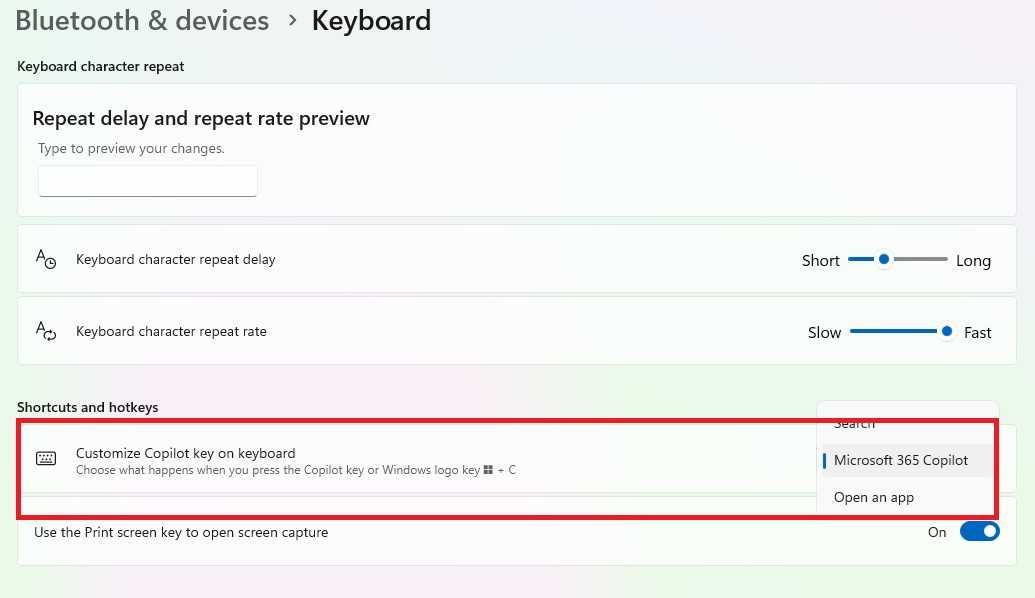
Via the Windows settings in the Start menu, you can reconfigure the Copilot key to a limited extent and, for example, use it to open the search function.
Foundry
Install PowerToys from the Microsoft Store and open the tools collection. Open the ‘Keyboard Manager’ and click ‘Open Settings.’ Toggle the switches for ‘Keyboard Manager’ and ‘Try the new editor’ to ‘On’ and click ‘Open Editor.’ Now go to ‘Add New Remapping’ and click in the empty field under the ‘Trigger’ menu.
Now press the Copilot key. You’ll see that this is actually a keyboard shortcut: Shift + Windows + F23. Next, open the drop-down menu under ‘Action’ on the right-hand side. Select ‘Open App’ and, after clicking the folder icon under ‘Program Path’, locate the EXE file for the desired application. You can accept the remaining settings as they are.
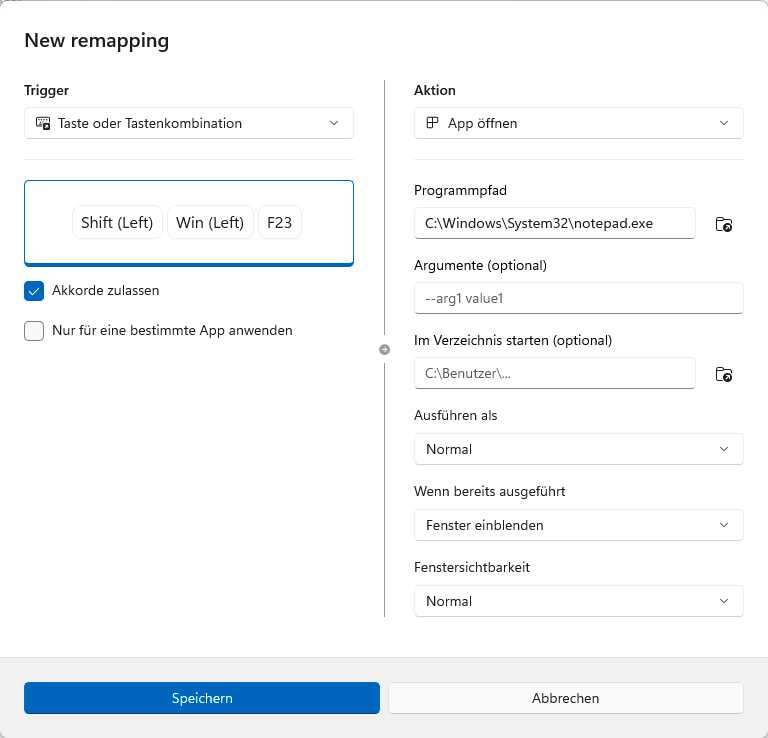
Using the new editor in the Keyboard Manager from PowerToys, you can assign any application to the Copilot key.
Foundry
Finally, click ‘Save.’ The new assignment for the Copilot key takes effect immediately and also overrides the selection in Windows Settings. If you wish to remove the assignment later, open the Keyboard Manager again. The ‘Keyboard Manager’ window will then appear.
Click the three dots at the far right of the row containing the assignment, select ‘Delete’ and confirm the security prompt.
Related content

Sorry, Microsoft: Haptic mice are a productivity gimmick
Mice from Logitech and now Microsoft support Windows’ latest feature: haptic feedback. But instead of serving as the next productivity enhancement, haptic mice feel like more of a convenience rather than a must-have.
Microsoft today announced a new version of the Surface Mouse, a $79.99 ambidextrous mouse that it launched alongside a new 13-inch Surface Laptop ($1,199) and a 12-inch Surface Pro ($1,149) which include Qualcomm’s Snapdragon X2 Plus chips inside. The Mouse is the most intriguing of the three, since it’s specifically designed with new Windows features in mind.
In April, I had a chance to try out the new haptics inside the Windows 11 Insider Build 26300.8155, which Microsoft was showing off with a prototype mouse at the time. Haptics, sometimes called force feedback, vibrate and “push back” against your fingers to provide tactile feedback.
Some Surface laptops, such as the Surface Laptop Studio 2, have included haptic trackpads for years, as an alternative to the traditional mechanical trackpads that need to be depressed, and whose “clickability” extends only over part of the surface. I’ve always found these trackpads to be particularly useful, as you don’t need to “aim” your finger at a portion of the trackpad.
The Surface Mouse — and the Logitech MX Master 4 for the PC and Mac, the ultimate productivity mouse — now support these haptic features as well. Aligning objects in PowerPoint, window snapping, resizing, or hovering over the Close button will all trigger some vibration on the mouse, as well as presumably the existing trackpads as well. (Dragging and dropping files will also eventually buzz your fingers, too.) Logitech’s mice also include the option to turn on additional haptic features via its Actions Ring and Smart Actions, as well as when your mouse is searching for a host via Bluetooth or when it connects.
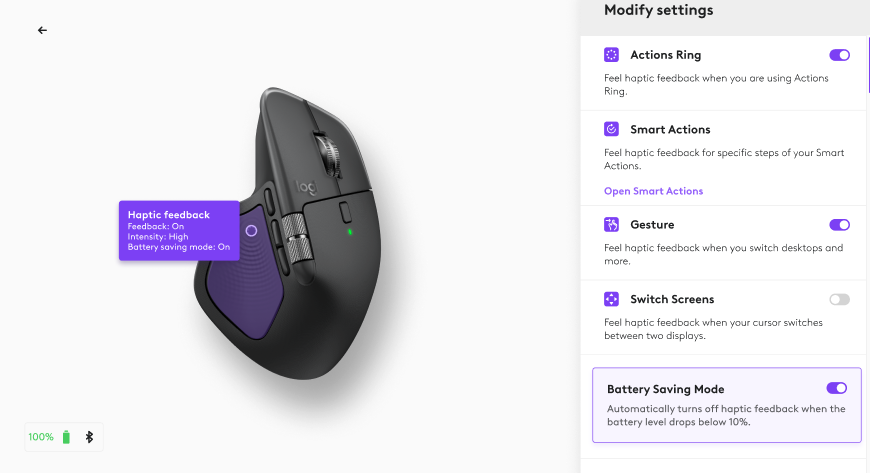
Logitech’s haptics trigger as part of the thumb rest; it’s not clear where Microsoft’s Surface Mouse will conceal its haptic feedback. (I can’t recall where the feedback was when I tried out the haptics several months ago.)
Don’t get me wrong: I think haptic touchpads are useful, as they extend the touchpad’s useful surface. I’m less confident about haptics inside a desktop mouse.
In a desktop mouse, haptics felt less productive and more of a convenience. A car’s purpose is to transport you from point A to B; there, haptics felt more like a rear-window wiper. Useful? Yes. Necessary? Not for me. The Microsoft representative showing them to me tried to position them as something you’d adjust to quickly, and would miss if they were taken away. I’d even agree! But it still felt like a convenience, rather than a necessity. I can visually see when a window expands, and I can click a window closed without any tactile confirmation.
Microsoft even provided MX Master 4 mice for users to try out for themselves. (As a lefty, I avoid dedicated right-handed mice, so I appreciate Microsoft’s efforts to accommodate both hands.) But Logitech’s haptic feedback applies to a lot of potential actions. Too much interaction, and you start to lose track of what that buzz actually signals.
So yes, I can’t turn down additional improvements to how I interact with my PC. I just don’t think haptic mice necessarily tell me anything I don’t already know.
Microsoft releases KB5124010 update to preview new Windows 11 features
Microsoft warns that September’s Windows 11 updates break Always On VPN connections
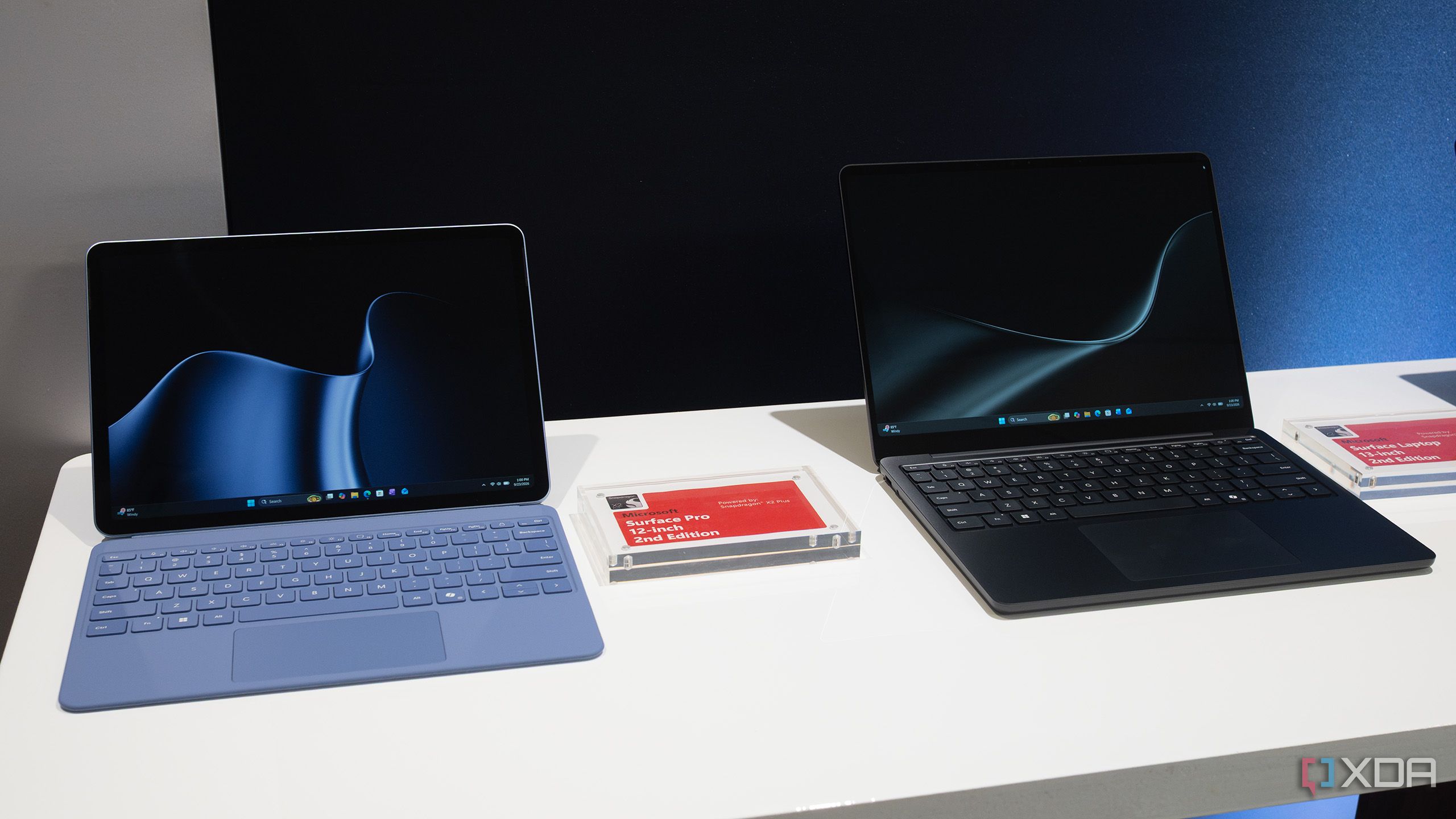
Microsoft’s new Surface Pro 12-inch and Surface Laptop 13-inch get a Snapdragon X2 Plus upgrade
Just a few months after revealing the Snapdragon X2 Elite-powered Surface Pro 12 and Surface Laptop 8 (13.8-inch/15-inch models), Microsoft and Qualcomm have officially revealed the 6-core Snapdragon X2 Plus-equipped Surface Pro 12-inch and Surface Laptop 13-inch, an upgrade from 2024's Snapdragon X Plus models.
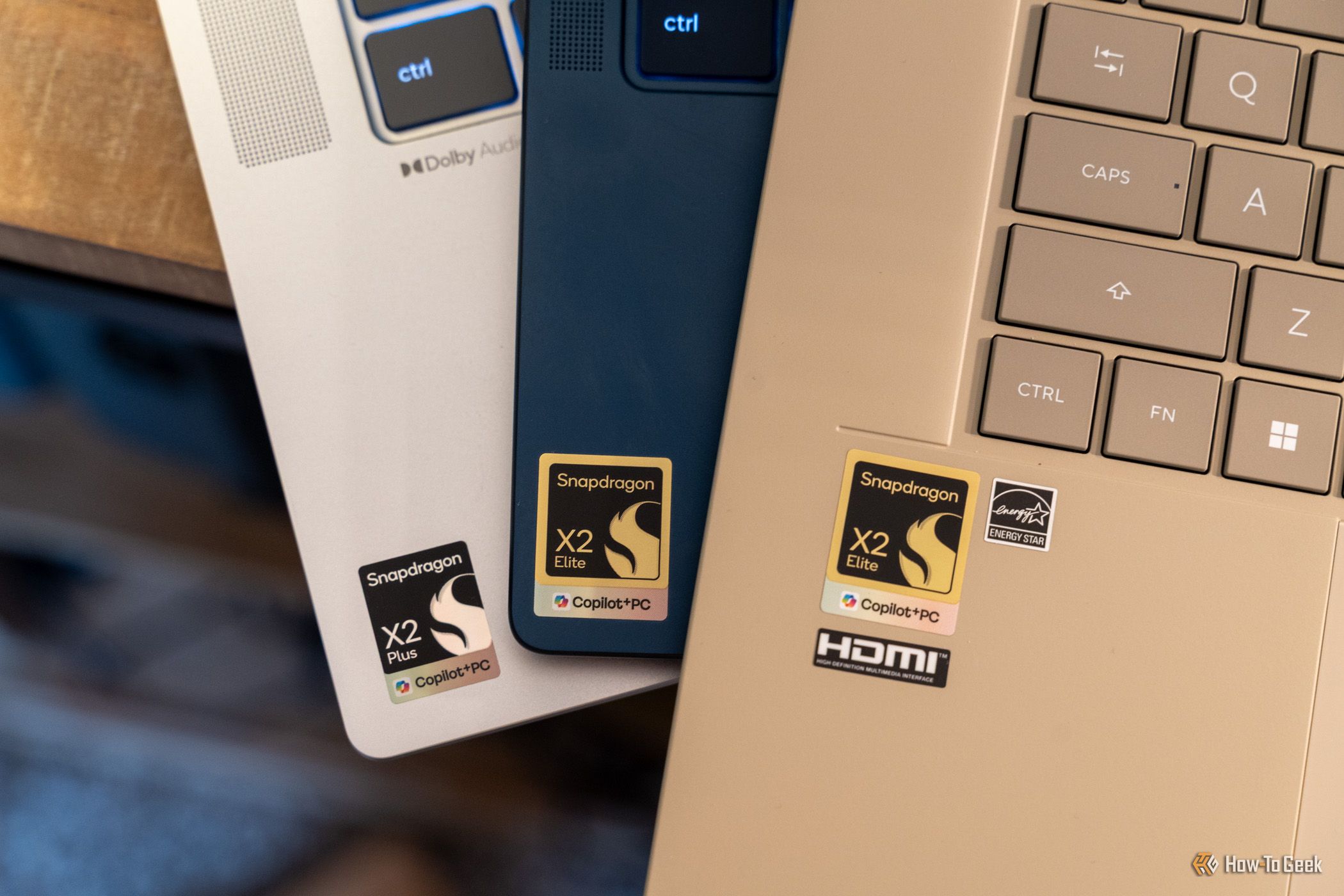
Qualcomm is officially working on Linux support for X2 ARM laptops
Qualcomm flew us out to Snapdragon Summit 2026 for a hands-on experience with the all-new, cutting-edge Googlebooks and Microsoft Surface laptops. And although the event has been relatively predictable, Wednesday's briefing closed out with a big surprise—Qualcomm is officially working to support Linux on Snapdragon X2 laptops, brands like ASUS have already committed to offer Linux-flavored versions of their X2-powered devices, and a developer preview is available today for those with the hardware to test it.
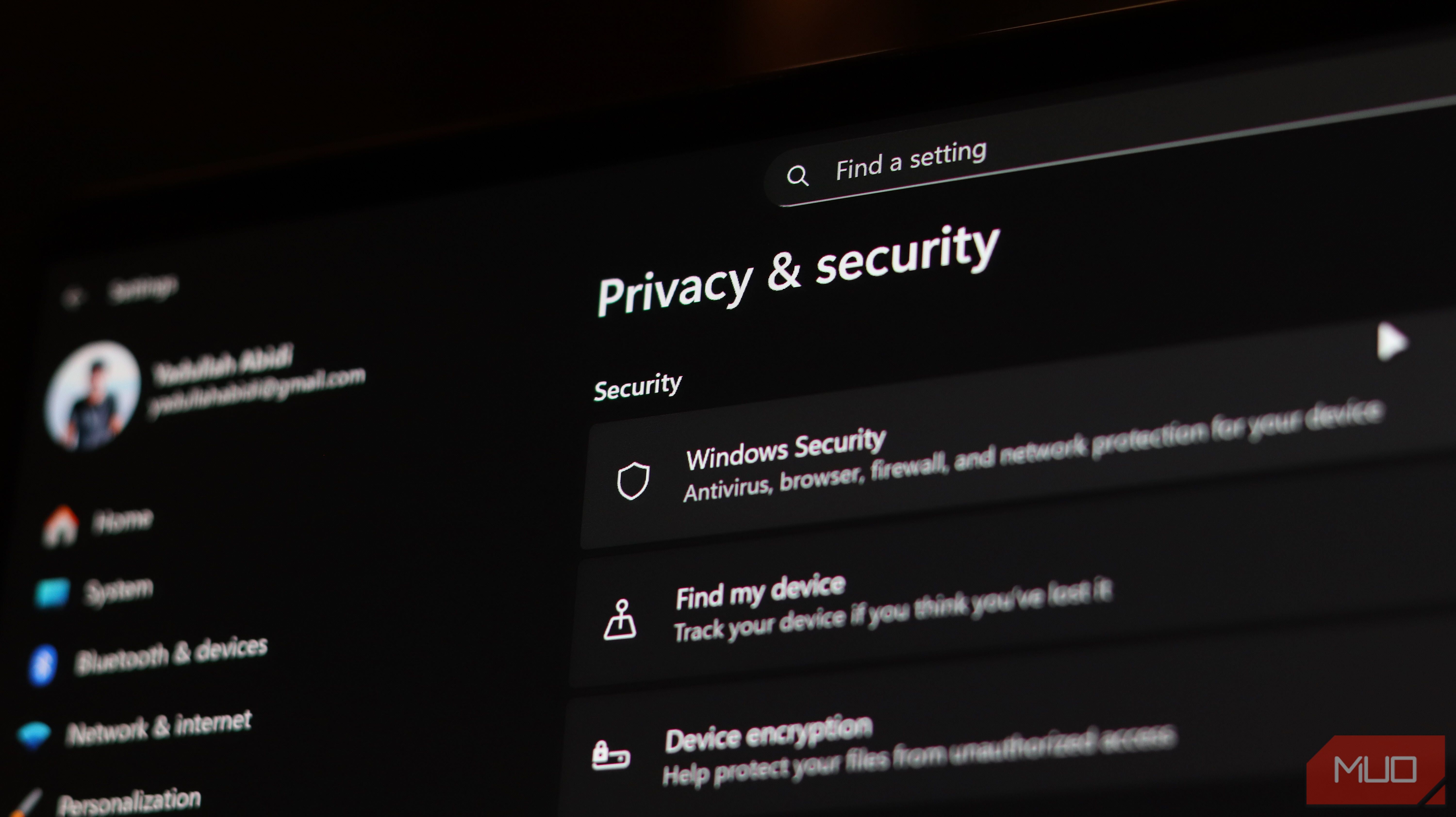
I turned off these Windows 11 settings to make Microsoft know less about me
Windows 11 comes with several features and settings that can make your PC more useful, even though some of these features also collect or use information about your PC use. For instance, it can learn how you use your PC or personalize search results for you. Sure, it's not necessarily malicious, but not everyone needs that info collected. If you’re someone like me who wants to keep your usage habits to yourself, you can simply turn them off. The good news is they won’t break any functionality. Here are some Windows 11 settings that feel like the biggest privacy leaks.
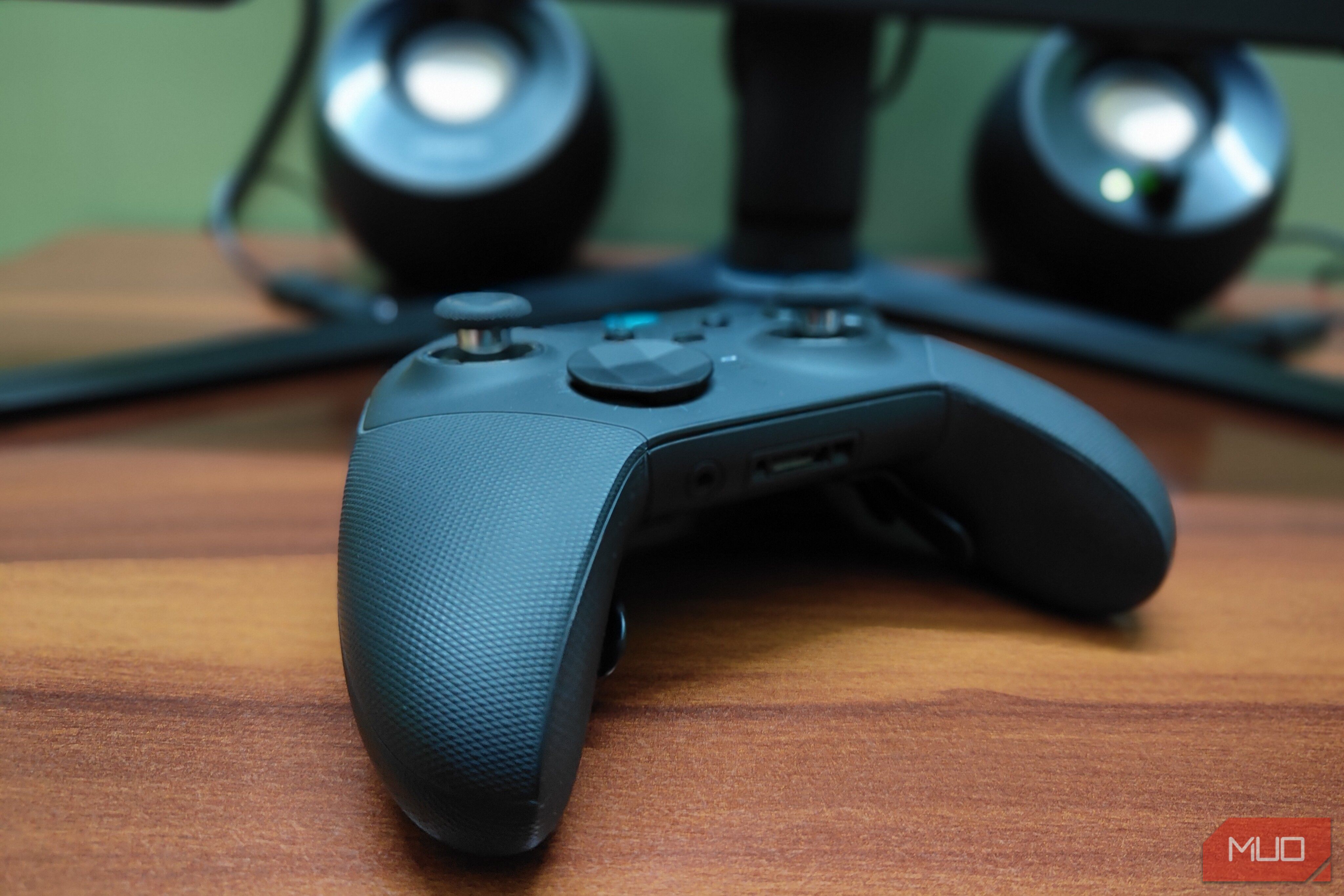
Microsoft made the best controller of the generation and completely forgot about it
Last year, I took a massive gamble and bought the Xbox Elite Series 2. This gamble ultimately paid off, as I think the Series 2 is currently the best PC controller that money can buy. As a PC gamer, I never really found a controller that felt like a perfect fit for the platform.

Technology Investments That Can Create Hidden Costs And Risks

Trump reveals up to $100K Strategy stock purchase in ethics filing

President Donald Trump disclosed a July purchase of Strategy shares as his administration continues to advance crypto policy through federal regulators and Congress.

How Companion.energy Reduced Query Latency 25x & Compressed Terabytes to Gigabytes with Tiger Cloud
This is an installment of our “Community Member Spotlight” series, in which we invite our customers to share their work, spotlight their success, and inspire other users in the physical world with new ways to use Tiger Data to solve problems.
In this edition, Tristan Vermeesch, Software Engineer at Companion.energy, shares why his company migrated real-time sensor telemetry from Azure PostgreSQL to Tiger Cloud, unlocking improved query performance, faster ingest, lower storage costs, and a cleaner architecture for future growth.
About the Company & Team
Most energy infrastructure today operates in isolation. A grocery store has solar panels and a battery, but they're not optimized together. An office building has multiple power draw points: HVAC, EV charging stations, lighting, and more. Each one consumes energy independently. A telecom operator managing thousands of antennas pays fixed rates for peak demand even when the grid has cheap power available during off-peak hours.
Companion.energy solves this by gathering continuous data from our customers' infrastructure. We forecast demand and pricing using machine learning, then automatically optimize what can be controlled: charging or discharging batteries, enabling or disabling solar panels, shifting loads, and more. We built Companion.energy to handle data arriving every minute from hundreds of customers' distributed systems. We operate across Belgium and beyond, optimizing everything from large grocery chains to telecommunications infrastructure. We’re a small team, but very knowledgeable about energy infrastructure.
The Challenge
When we started, our entire platform ran on a single Azure PostgreSQL instance with flexible server options. It worked initially, but as data volumes grew—continuous sensor readings from more customers, longer historical records—performance degraded quickly. We tried adding more compute and memory, but the database simply couldn't keep up with the continuous inflow of data. Queries that had been fast became slow. Our customer-facing dashboards began to time out. Customers complained about page load times of two to three minutes.
We quickly discovered that our most frequently-used query (DISTINCT ON meter_uuid for pulling latest meter readings) would never finish on large customer accounts. It timed out consistently. We tried rewriting it, but the new version broke on small sites with only old data. The frontend's automatic 3x retry eventually finished the job. We put a 30-second statement timeout in place as a guard, but that was a band-aid. The proper fix required a database feature we didn't have: skip-scan optimizations on the hypertable physical order. Azure PostgreSQL's Apache 2 licensed TimescaleDB extension didn't include that.
Two months later, in October, Azure patched our production server. There was no advance notice and no way to prevent the outage. We went down 100% for 25 minutes with zero warning. Meanwhile, storage was becoming unsustainable. We were pricing out ways to move raw meter data out of the database just to keep it manageable. We'd written "avoid future database problems (size, performance)" as a line item in our roadmap.
The real problem was deeper. We'd hit a constraint that wasn't just about throwing hardware at it. We were running TimescaleDB on Azure Flexible Server, which gave us the extension but not the full product. We had no compression policies. We had no continuous aggregates. We couldn't access the features designed to solve exactly this problem.
Why Tiger Cloud: The Architecture-First Decision
We spent six months evaluating alternatives. My first instinct was MongoDB, which had just released time-series features. After thousands of engineering hours, we realized their time-series model didn't support the relational joins we needed for cost analytics. We abandoned it. Next we looked at InfluxDB and ClickHouse. Both are optimized for time-series and analytics, but both require significant learning curves. ClickHouse especially demands manual indexing and continuous tuning. That was overhead we couldn't afford as a small team. Neither offered meaningful improvements over what we already had.
We didn't need to migrate databases at all. We needed the full product version of TimescaleDB. We'd already bet on Postgres as a company. We knew it. Every engineer on our team could write SQL. We'd already been running TimescaleDB on Azure, so the question wasn't whether to use TimescaleDB—it was whether to get the full feature set.
Tiger Cloud changed the equation. It gave us the features Azure's Apache 2 edition held back: compression policies, continuous aggregates, and skip-scan. Ultimately, we made the decision to commit our entire platform to Tiger Cloud instead of trying to band-aid Azure.
The Stack: Real-Time Optimization Architecture
All our services connect through Tiger Cloud as the central source of truth. Continuous sensor data arrives from customer equipment and flows through our platform via message queues and pipelines. Multiple internal services consume this stream, processing and transforming data before writing results back to Tiger Cloud. We maintain separate Tiger Cloud instances for operational isolation—one for customer-facing features and one for market data analysis. This separation ensures that high-volume market data ingestion doesn't impact real-time customer features. All services run within a secure Azure V-Net with Tailscale for access control. We query Tiger Cloud via the CLI and MCP interface rather than direct database connections, which feels safer and makes it easier to audit what queries are running.
Results: From Skip-Scan Timeouts to Microseconds
1. 25x faster queries with skip-scan: Our best result is that meterdata latest/earliest lookups went from 4,950 milliseconds to 202 milliseconds. That's a 25x improvement. Here's what happened: on Azure, we were running queries to pull the latest reading for each monitoring point. The query was slow because it had to scan every chunk looking for the most recent value. When a customer had millions of data points, it timed out. When we tried rewriting it for performance, we broke the small customers with only old data. We needed skip-scan: a feature that uses the hypertable's physical ordering to jump directly to the chunk we need. Azure's Apache 2 edition didn't have it.
On Tiger Cloud, we leveraged TimescaleDB's native skip-scan functions, which use the hypertable's physical ordering to jump directly to the data we need. We also deleted workarounds that only existed to dodge statement timeouts. Those loops added latency and complexity for nothing. Just moving our database there, the performance improvements were immediate and dramatic.
2. 98% compression rate, turning 1.7 terabytes into 39 gigabytes: On Azure, we were continuously adding storage as data accumulated. Our largest data tables were growing unsustainably, together holding approximately 915 GB of raw data. We projected compress

Brain Launches The Company Memory That Makes Every AI in The Business Worth Using
Brain gives people and AI agents a shared, persistent company memory, alongside tools for deploying agents and controlling what each person and agent can see and do.
Businesses have no shortage of AI tools to choose from. The harder problem is getting those tools to understand the business they are supposed to work for.
A new ChatGPT conversation starts with limited context. A coding agent may know the repository but not the decisions made in Slack last week. An internal assistant might be connected to company documents but lack the permissions needed to distinguish what one employee should see from another.
As companies add more AI, they often end up creating more fragmented context around it.
Brain is built to solve that. It is a new AI platform that brings persistent memory, company knowledge, AI agents and governance into a single environment.
At the center of the product is a simple idea: a company should be able to build one Brain that gets more useful as the business uses it, and then make that intelligence available to both people and AI agents without giving everyone the same level of access.
That puts Brain somewhere between an AI memory layer, company knowledge platform and agent operating environment.
Companies are already running on it
Brain went into production at ChainGPT, ChainGPT Pad and Normies before today's announcement, where it now serves as the shared knowledge base across every department, from engineering to finance.
"Since we switched ChainGPT to Brain, we finally closed the knowledge gap our teams dealt with. Everyone, across every department, is always in sync and one prompt away from any information they need. No more back and forth, doc swaps, and meetings. Just one prompt," said Ilan Rakhmanov, CEO at ChainGPT.
Buyers get a system that was carrying production workloads before it ever carried a price tag.
A brain that compounds
Brain connects to the places where a company's knowledge already sits, starting with Google Drive and Notion, with Slack, GitHub, Box, Telegram, Confluence, Salesforce and Gmail in development. Out of those sources it builds a knowledge graph of the business: the documents, the people, the projects, and every relationship between them.
Each source added fills in another part of the picture, and every question asked sharpens what the system understands about how the company operates. Six months in, a team is working with an asset no competitor can buy or copy, because it was assembled out of their own operating history.
The economics move the same way. Loading whole documents into a context window means paying the model to re-read them on every request, so cost climbs as usage grows and accuracy drops once the window fills up. Brain retrieves the passages that answer the question. Answers come straight from the live source, and the model reads a fraction of the text to produce them, which pulls the cost of every query down.
AI-native companies get the same memory over an API and an MCP endpoint, so a product team can ship on it in an afternoon.
Agents that launch already knowing the business
Brain builds and deploys AI agents inside the app, with the company brain behind them from the first request.
A support agent answers from documentation that is current today. Sales picks up an account with an agent that has already read the last three calls. Overnight, a research agent works through the market folder and reports what changed by the time anyone logs in. Each one runs on the same governed knowledge the humans use, which retires the context file somebody always forgets to update.
Every agent carries its own key, its own scope, and a mandate that defines what it is permitted to do. Actions that carry weight wait for a person to approve them, and an agent that needs stopping is stopped with one switch that binds on the very next request.
Enterprise buyers press hardest on this part. An agent with broad access and no mandate is a script holding production credentials, and the exposure multiplies with every one a company deploys. Brain gives each agent an identity, a limit and a record, which is what makes running twenty of them governable.
 Governance that clears security review
Internal AI projects die in security review far more often than they die over model quality, because nobody can prove the assistant will not surface a salary band or a sealed repository to someone who was never cleared to see it.
Brain inherits the permissions every source already carries, so a private channel stays invisible to anyone outside it and an HR folder stays invisible outside HR. Nothing is copied into a separate store and nothing is re-shared. IT keeps the access model it already maintains and spends no time rebuilding it.
Those permissions are enforced on every request, before an answer is composed. Where one section of a document is restricted, Brain holds back that section and leaves the rest usable, so nobody loses a hundred-page document over one paragraph.
Every access writes a record of who asked, which policy applied and what was withheld, with none of the content stored. An outside auditor can check that record without taking Brain's word for any of it, and that record is why Brain gets through reviews that stop general-purpose assistants at the door.
"Companies have already decided they want AI on everything they know. What stops them is that nobody can answer what happens when the model retrieves something the person asking was never cleared to see," said Jayson Burgess, CMO at Brain. "Brain is the super app for putting AI to work inside a business. Memory, agents, permissions and proof in one place, so the rollout survives contact with the compliance team."
How to Get Started
Brain is self-serve and requires no sales process. Sign up at heybrain.io, connect a source, and ask it a question. A live demo running on a demo company is available without signup at heybrain.io/demo.
Teams evaluating Brain against alternatives can find detailed comparisons against Microsoft Copilot, Glean, Notion AI, Obsidian and agent-memory frameworks at heybrain.io/compare.
About Brain
Brain is a governed, verifiable AI brain for companies. It connects the tools where company knowledge already lives, enforces each source’s permissions on every request from both people and AI agents, and records every access in a tamper-evident, content-blind ledger. Brain is built for teams whose AI rollouts are blocked in security review, including regulated industries, sensitive-data functions such as HR, finance and legal, and teams deploying autonomous agents. More at heybrain.io.
This story was published as a press release by BlockmanPR under HackerNoon’s Business Blogging Program
Disclaimer:
This article is for informational purposes only and does not constitute i